

Codex and OpenCode
TaskHandoff currently focuses on two AI agents: Codex and OpenCode. Both use the unified AI session interface for creation, live progress, messages, permissions, stopping, history, and recovery.
Choosing an agent
Choose Codex for deep Codex integration, context mentions, and multi-agent work. Choose OpenCode for its provider ecosystem and Chat Completions-compatible models.
Capability Comparison
| Capability | Codex | OpenCode |
|---|---|---|
| Primary model protocol | OpenAI Responses | OpenAI Chat Completions |
| Session create and discovery | Supported | Supported |
| Live text, reasoning, and tools | Supported | Supported |
| Permission requests | Supported | Supported |
| Stop, close, and fork | Supported | Supported |
| Model and reasoning selection | Supported | Supported through model variants |
| File context mentions | First-class support | Not a primary capability today |
| Managed defaults | Style, personality, multi-agent, and more | Uses OpenCode session and model configuration |
Claude compatibility may remain visible for existing images or configurations, but this guide uses Codex and OpenCode as the primary documented and tested paths.
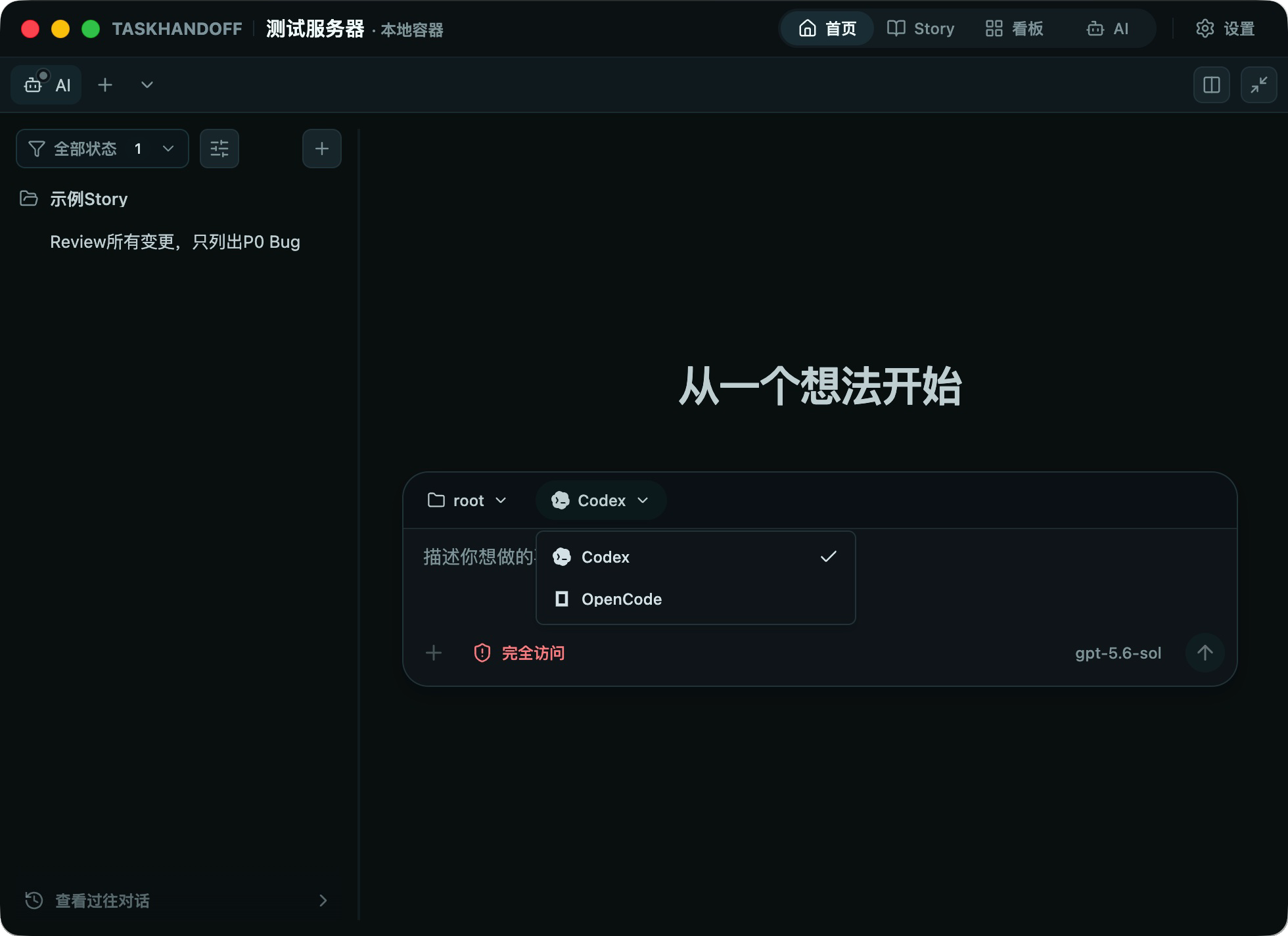
Configure Codex
Create a model under Settings → Models, select Codex and openai-responses, enter the endpoint, key, and model names, test it, then assign it to an instance.
Instance settings → AI → Codex also controls response detail, personality, default reasoning, Codex Home, multi-agent enablement, concurrency, and sub-agent defaults. These settings apply to new sessions and sub-agents.
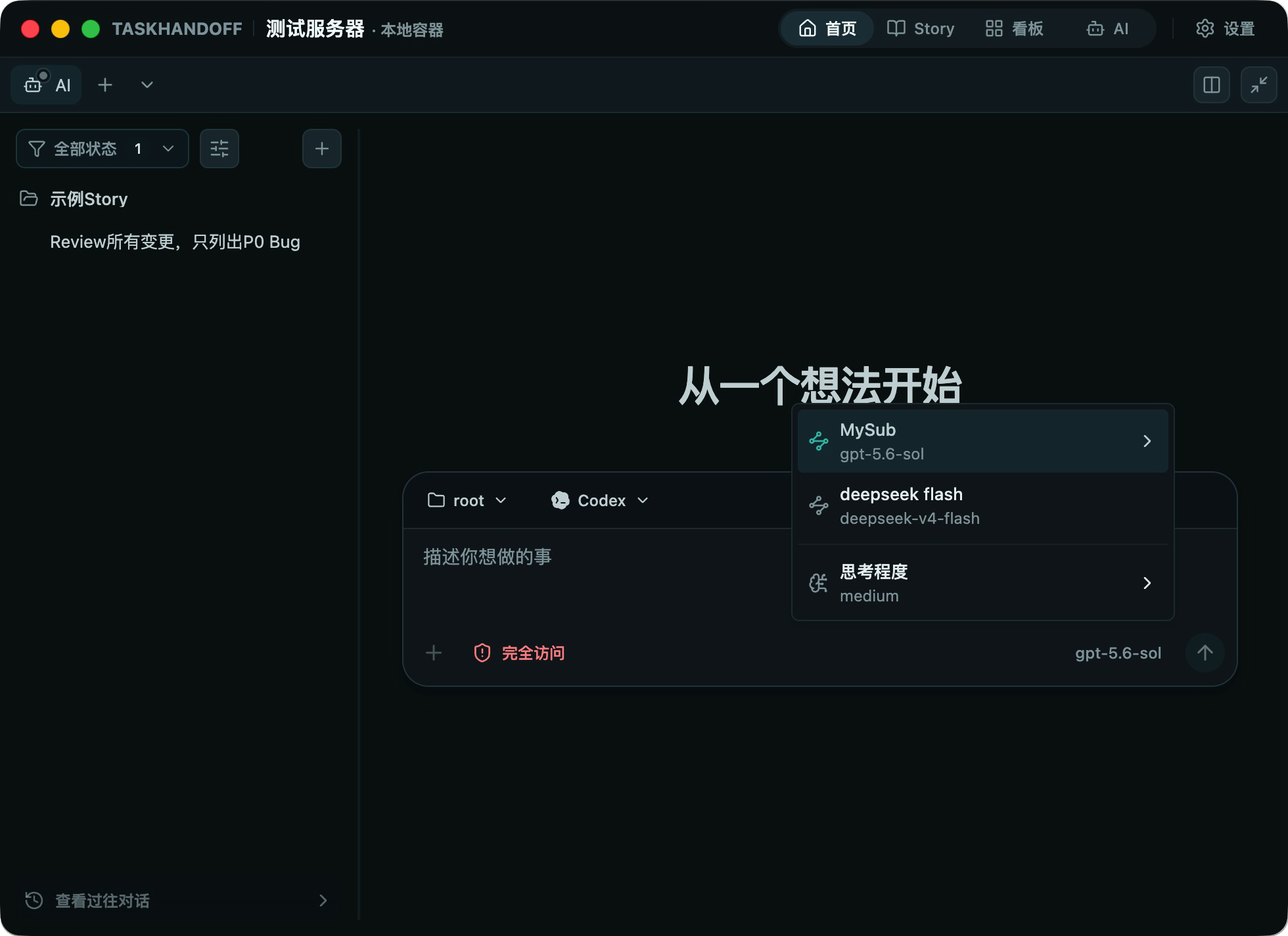
Configure OpenCode
Create an OpenCode model using openai-chat-completions, test it, assign it to the instance, and restart the instance for the assignment to take effect. OpenCode model and reasoning choices cannot be changed during an active turn; wait for the turn to finish or stop it before changing them. On older nodes or instances a session may not allow switching at all, so create a new session instead.
Parallel Work
Codex and OpenCode can run in the same instance and see the same disk changes. Give parallel tasks separate Git worktrees to avoid concurrent edits to the same files.
Agent Orchestration (Optional)
When a deployment enables agent orchestration, an Agent entry appears in the top navigation:
- Agents are listed per node; you can create an agent and switch between Detail and Orchestration;
- The orchestration canvas shows members, entry nodes, and call edges: drag cards to move them, use the dot below a card to add a member or draw a connection, and click a relation or its midpoint × to remove it;
- The canvas edits one orchestration at a time; unsaved changes are indicated and can be saved or reset;
- Agent runs appear as tasks in Story and Approvals.
This entry is controlled by a deployment switch and is hidden by default; if you do not see it, the current deployment has not enabled it.
Let an Agent Operate TaskHandoff
Codex and OpenCode can install the thctl skill and drive the Control Plane from the command line: reading state, creating instances and AI sessions, and diagnosing failures. See Install the thctl Skill. The skill is documentation only and does not change agent configuration or workspace settings.