

Settings and Security
Visible settings depend on your account permissions. Nodes, images, models, and projects are routine resources; credentials, users, identity providers, and cloud connectivity generally require administrator access.
Git Credentials
Settings → Git credentials manages HTTPS tokens and SSH private keys by remote scope. A scope includes the scheme, host, optional port, and case-sensitive repository path prefix.
Credentials selected during instance creation authorize the initial clone. Retain in this instance also authorizes matching remote access for agents, terminals, apps, and repository operations running as the instance user.
Retained authorization
Remote scope prevents accidental credential selection; it is not a security boundary against a malicious process running as the instance user. Grant retained credentials only to trusted instances and use narrowly scoped tokens.
SSH credentials require pinned known_hosts data. After changing a credential or assignment, retry the failed Git operation manually.
Users and Access
Administrators can create, disable, and restore local users; assign system or custom roles; restrict accessible nodes and instances; reset passwords; revoke sessions; configure OIDC or GitHub sign-in; and approve external identities.
A password reset generates a temporary password and invalidates existing sessions. Transfer it through a secure channel.
Account and Devices
Changing your password signs out sessions on other devices. Mobile device sessions lists signed-in devices and can revoke one without affecting the others.
Node Security
A public Node Agent endpoint must use HTTPS and a one-time pairing token. Changing a TCP listener from 127.0.0.1 to 0.0.0.0 expands network exposure and requires appropriate firewall, TLS, and access controls.
Chat and Public URLs
Chat adapters route Telegram, DingTalk, WeChat, or Feishu/Lark messages to an instance. One chat entry cannot be bound to multiple control planes or instances at once.
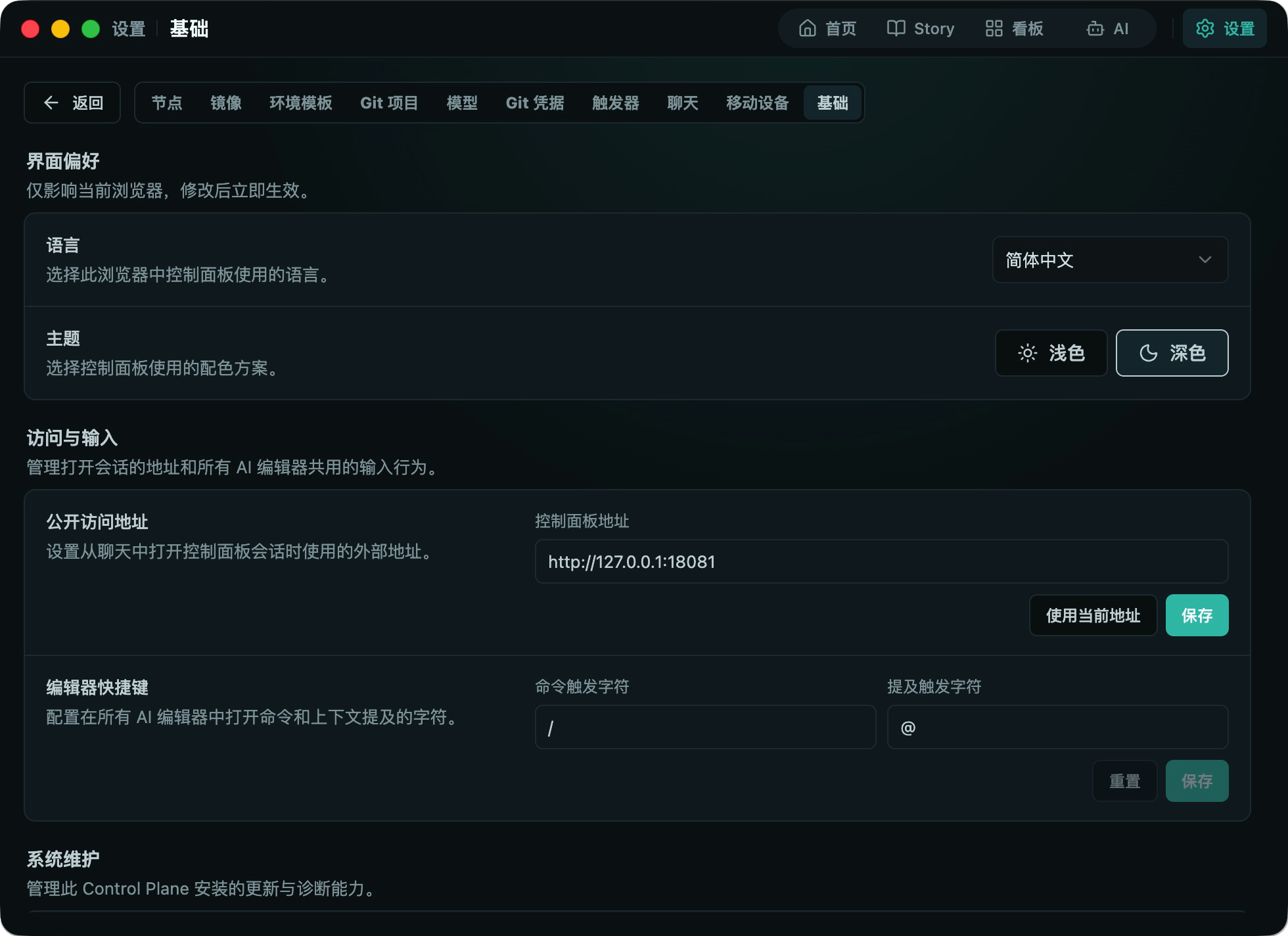
The public access URL is used for session links opened from chat. Use HTTPS and expose only the intended control plane.
Appearance and Editor
Settings → Basic controls the language, theme, public access URL, and AI editor shortcut characters. Appearance preferences are normally stored in the current browser and do not change server data.
Updates
A full server installation exposes server updates under Settings → Basic. Node details provide managed rollout controls. Prefer the stable channel in production and check active work first, because runtime convergence may restart instances after a bounded drain period.