

Git Credentials
TaskHandoff manages HTTPS tokens and SSH keys centrally and brokers them to explicitly authorized instances by remote scope. Secrets are write-only after saving.
Scope Matching
A scope includes scheme, host, optional non-default port, and a case-sensitive repository path prefix. Wildcards and credentials embedded in URLs are rejected. The longest unique path prefix wins; equal matches cause a conflict instead of trying secrets in sequence.
HTTPS and SSH
An HTTPS token exists only briefly for the active Git credential-helper request and is not stored in a remote URL, argument, or environment variable.
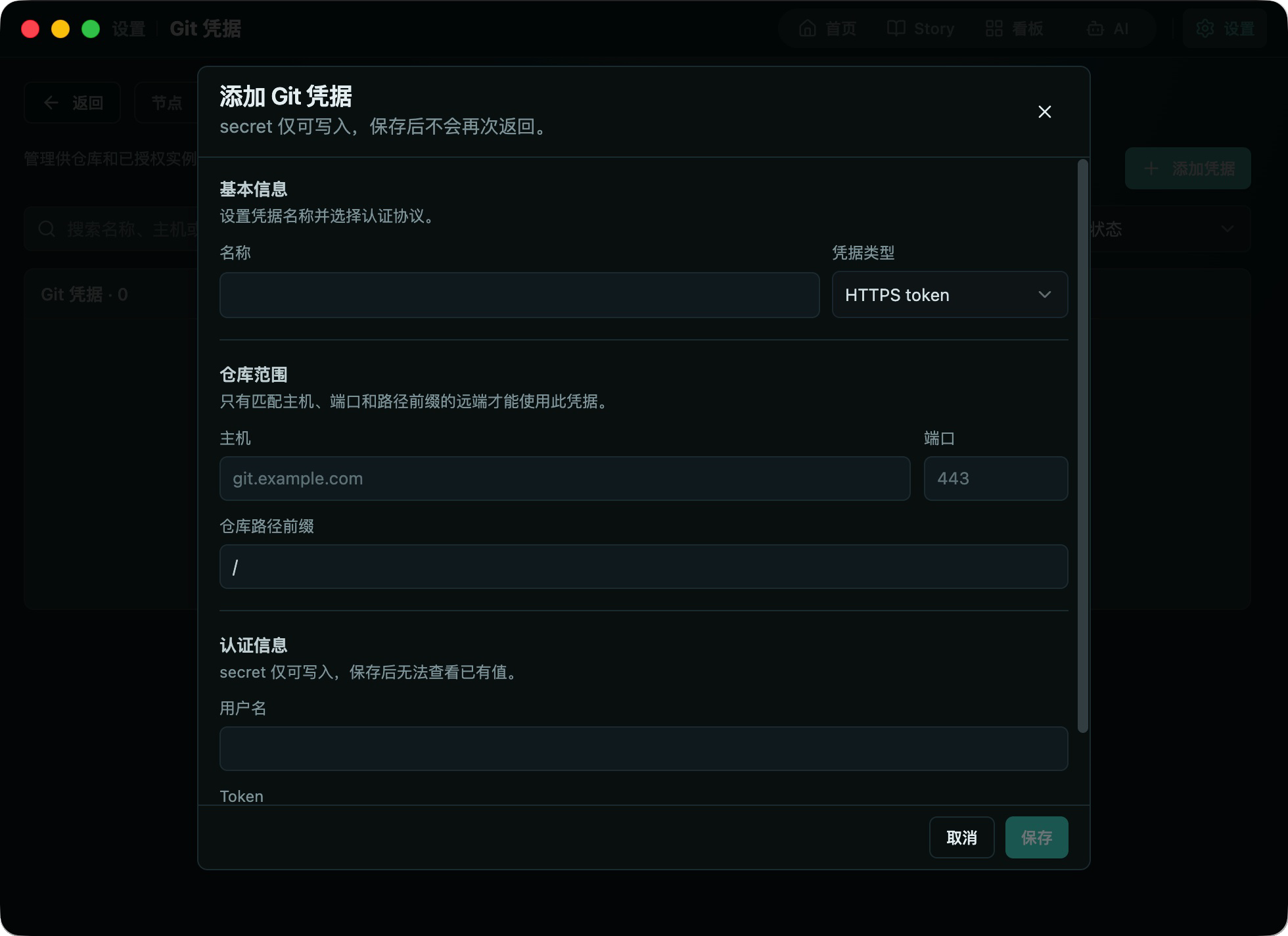
SSH private keys remain on Node Agent. Instances receive a public identity, pinned known_hosts, and a signing proxy. Trust on first use is not allowed.
Clone and Retained Access
A credential selected during instance creation authorizes only the initial clone by default. Retain in this instance also lets Codex, OpenCode, terminals, apps, and repository tools use it for matching remotes as the instance user.
This is an instance trust decision. Use narrowly scoped credentials only in trusted instances.
Rotation and Revocation
Entering a new secret while editing rotates it; leaving the field empty preserves it. Revocation is enforced by Node Agent even when the instance is offline. Remove every instance assignment before deleting a credential.
After fixing missing, ambiguous, unsupported, host-key, or rejected authentication, retry the Git operation explicitly. Failed pushes are never replayed automatically.